About Us
 Careers
 Leadership
 Board
Board Newsroom
Fake Google reviews hit a Jacksonville home-services company in about 15 minutes: WOKV’s report says the owner refused a $150 CashApp demand, and 15 one-star reviews landed on a profile that had held 262 five-star ratings out of 277.
You remove a fake Google review by flagging it for a specific policy violation, tracking the report in Google’s Reviews Management Tool, and filing a one-time appeal with evidence if the first decision goes against you. Google deletes reviews only when they break a rule in its content policy. A report that says a review feels fake goes nowhere; a report that names the rule and attaches proof gets read.
You will learn how to spot a fake Google review and get it removed: how to document that a review is fake, which policy bucket to cite, the click paths on desktop and in the Google Maps app, realistic timelines, what to do when Google says no, how to survive a review-bombing attack, and how to rebuild your rating with reviews that hold up.
Boost customer acquisition with AI-powered review management
TL;DR
- Remove fake Google reviews by citing a named policy: Flag the review for a specific violation, track it in Google’s Reviews Management Tool, and file the one-time appeal with evidence if Google finds no violation. Google removed over 292 million policy-violating reviews in 2025, but it acts only when a report names the rule a review breaks.
- Never pay a review extortion demand: Screenshot every review with its timestamp, flag them in batches, and use Google’s dedicated extortion form. Avoid recruiting a rescue wave, because 10 or more reviews in one day can trigger Google’s spam filter.
- Vendasta catches attacks and outweighs them with genuine reviews: Vendasta Reputation AI monitors 100+ review sources so one-star bursts show up in one place. The AI Reputation Specialist responds to Google and Facebook reviews under rules you set, and review requests go out from Jobber or QuickBooks Online after real jobs.
How to Remove a Fake Google Review: The Short Version
Flag the review for a named policy violation, then push the report through Google’s tools in this order:
- Flag the review from your profile: Search your business name in Google while signed in, open Read reviews, select Report next to the review, and choose the reason that matches the violation.
- Match the review to a policy bucket first: Spam and fake engagement covers reviews with no matching customer, conflict of interest covers competitors and ex-employees, and off-topic covers reviews about a different business.
- Track the report in the Reviews Management Tool: The tool shows Decision pending, then either removes the review or marks it Report reviewed – no policy violation. Check back after three business days.
- File the one-time appeal with evidence: When the status shows no violation, select Appeal eligible reviews, add up to 10 reviews per batch, and attach screenshots of the reviewer’s profile and your records.
If the reviews arrived alongside a payment demand, skip ahead to the review-bombing section. Google runs a separate form for extortion, and it routes your report to a separate process.
How to Prove a Review Is Fake Before You Report It
Open the reviewer’s profile before you touch the Report button. Google’s content policy states that it weighs the content itself, account information, user actions, and whether a pattern of harmful behavior exists, so the account behind the review is evidence in its own right. Several of the signals Google’s systems weigh are checks you can run by hand between jobs.
- Profile age and history: The profile page in Google Maps lists every public contribution. An account whose only contribution is your one-star review, or whose history starts the same week as the attack, matches a pattern that practitioners flag for closer review.
- Total review count and pattern: Scammers reuse accounts. A profile that has left 40 one-star reviews on plumbers in 12 states and nothing else belongs to a campaign, not a homeowner.
- Geographic spread: A reviewer whose other reviews sit 1,200 miles from your service area may not have hired you to fix a furnace. Google’s own detection systems treat a mismatch between account location and review location as a fraud signal.
- Posting velocity: A dozen or more one-star reviews arriving within minutes, or overnight, is the signature of a coordinated attack. Screenshot the timestamps; Google’s systems flag sudden spikes in one- or five-star ratings, and your screenshot documents the same pattern its models evaluate.
- Duplicate wording across competitors: Copy a distinctive phrase from the review and search it in quotation marks. Identical or near-identical text posted on several businesses breaks Google’s rule against repetitive content posted from the same or multiple accounts.
Fake reviews are common enough in your category that finding one should not surprise you. The Transparency Company’s analysis flagged 13.7% of Google reviews as fake, roughly one in seven. For a broader picture of how the problem spreads across platforms, our overview of fake online reviews covers the patterns outside Google.
Build your screenshot file as you go, because the appeal form now accepts evidence directly. Capture the review with its timestamp visible and the reviewer’s profile page showing contribution count. Add a side-by-side of any duplicate wording and a search of your job-management system, such as Jobber, Housecall Pro, or ServiceTitan, showing no customer by that name. Annotate each image with a circle around the relevant detail and a one-line caption stating which policy it supports; a zero-results search of your own invoices can help document that you found no matching customer.
[SCREENSHOT: Reviewer profile page in Google Maps with total contribution count circled]
Which Policy to Cite: The Violations Google Will Act On
Google removes a review only when it violates a rule in Google’s content policy, and the closer your report maps to a named rule, the better your odds. Google’s policy protects a genuine customer who was rude and left one star. It does not protect a stranger who never hired you.
Match each suspect review to one of these buckets before you file:
| Policy bucket | What Google prohibits | What it looks like on a service business profile |
|---|---|---|
| Spam and fake engagement | Content not based on a real experience; paid reviews; multiple accounts controlled by one person; unusual volumes or patterns indicating rating manipulation | A one-star review with no matching customer records |
| Off-topic | Reviews not about the reviewer’s experience at that location; political or social commentary; reviews about a different business or a different location of the same business | A complaint about a roofer two towns over with a similar name |
| Conflict of interest | Reviews shaped by current or former employment, a contractual relationship, a competitive relationship, or a personal or family affiliation | A review from your former technician’s spouse or from a rival contractor |
| Restricted content | Calls to action or links for buying alcohol, gambling products, tobacco, firearms, regulated pharmaceuticals, adult services, or financial services | A review pushing a payday loan link, rare in home services but an easy removal |
| Offensive content | Attacks on individuals; unsubstantiated allegations of unethical behavior or criminal wrongdoing | A review accusing your crew of theft with no police report, no claim, and no job on file |
| Advertising and solicitation | Promotional content; contact details or social media links in review text | A one-star review that ends with a competitor’s phone number |
| Extortion | No standalone category; handled under fake engagement, rating manipulation, and harassment, with a dedicated report form when you have received a payment demand | A wave of one-star reviews followed by a message on a third-party messaging app demanding payment |
Use the standard flag for everything in the first six rows. Reserve Google’s extortion form for cases where someone has explicitly asked you for money, because Google routes that form to a separate review process.
Two things do not qualify, and knowing them saves you a wasted appeal. A negative experience described respectfully stays up even if the reviewer exaggerates the wait time or the price. A review that names your business owner or a licensed contractor by professional name is not a personal-information violation, because Google allows publicly known professional names.
How to Flag a Fake Review Step by Step
Report the review through Google Search on your desktop or the Google Maps app on your phone. Use the Reviews Management Tool when you want a tracked record you can check later. Only the Reviews Management Tool shows you the status afterward, so use it for anything you plan to appeal. Ignore any walkthrough that references the standalone Google My Business app; Google retired it several years ago and moved profile management into Search and Maps.
Report From Google Business Profile
The fastest desktop path runs through Google Search, as Google’s instructions explain:
- Search your business name in Google while signed in to the account that manages the profile.
- Select Read reviews.
- Next to the review, select Report (a flag or alert icon).
- Choose the reason, such as Spam or Profanity.
- Select Send report.
Google has tested reworded report options in Search, so the labels in your menu may differ slightly from the ones above.
For a report you can track, use the Reviews Management Tool instead:
- Open the Reviews Management Tool and select Confirm (or Switch account if the wrong account loads).
- Select your business.
- Select Continue, then Report a new review for removal, then Continue.
- Next to the review, select Report.
- Choose the reason and select Submit.
The record lives inside the tool, which is why the status-check path in the next section matters.
Report From the Google Maps App
On your phone, the report option hides behind the three-dot menu on each review. The steps are the same on iOS and Android:
- Open the Google Maps app and find the review on your profile.
- Tap More (the three vertical dots) next to the review.
- Tap Report review.
- Choose the reason.
Two differences from desktop matter. Tapping Not helpful does nothing except lower the review’s visibility; it is not a report. And status tracking lives in the Reviews Management Tool, so a review you report from the truck should also be logged there when you get back to a laptop.
Report the Reviewer’s Whole Profile
Profile reporting exists only in the Google Maps mobile app; Google publishes no desktop path. When the same account is hitting several businesses, reporting the profile is often more productive than reporting one review, because Google evaluates the account’s full pattern of behavior. Google’s profile instructions give slightly different labels by platform:
- Open Google Maps and find any contribution from the profile.
- Tap the username to open the profile.
- Tap More (three dots) at the top right.
- Tap Report profile on Android, or Report on iOS.
- Choose a reason: fake engagement or misrepresentation, impersonation, offensive content, personal information, or illegal content.
Business owners can also reach the same profile report from inside their own listing: tap Business at the bottom right of the Maps app, tap Reviews, tap the reviewer’s name, then tap More and Report. Report the individual review too. Reporting both the review and the profile gives Google more of the pattern to work with.
Checking Status and Filing the One-Time Appeal
Check the Reviews Management Tool three business days after you flag a review, because that is when most first decisions appear. Go to the tool, select Confirm, select your business, then select Continue and Check the status of a review I reported previously and appeal options. Use the displayed status to choose your next move.
- Decision pending: Google has the report but has not evaluated it. Nothing to do yet except wait and keep collecting evidence.
- Report reviewed – no policy violation: Google looked and disagreed. This label unlocks your one-time appeal.
- Escalated – check your email for updates: Your appeal is with a second team, and the decision arrives by email. The same label appears when Google upholds a review after appeal.
[SCREENSHOT: Reviews Management Tool status screen with “Decision pending” circled]
BrightLocal’s guide also lists a Review removed state, which Google’s Help Center does not enumerate.
File the appeal from the same screen. Select Appeal eligible reviews at the bottom, choose up to 10 reviews, select Continue and Submit an appeal, then complete the form. Since July 2026, Search Engine Roundtable’s report says a single button lets you attach multiple evidence files inside the appeal itself. Add the annotated screenshots from earlier there.
Name the exact policy in the text field. Google calls this a one-time appeal, and after a second denial no further appeal exists for that review, so a thin appeal is worse than a delayed one.
Google’s appeal guidance says decisions can take up to five working days and tells owners not to submit multiple appeals for the same issue before a decision. Submitting creates a support ticket with a case ID sent by email. Save that email, because every later escalation starts with the case ID.
The published timelines and the timelines owners experience are different numbers:
| Stage | Google’s stated timeline | What owners report | Your move |
|---|---|---|---|
| Initial flag evaluation | “Typically takes several days” | About 3 business days for a first decision; removal in up to 14 days; some reports sit in Decision pending for months | Check status at day 3; keep building evidence |
| Status change to no violation | Not stated | Appeal window has no published deadline | File the appeal once your evidence file is complete |
| Appeal decision | Up to 5 working days | A couple of weeks, as Search Engine Land’s guide reports; longer during backlogs | Save the case ID email; do not refile |
| Help Community escalation | Not stated | No established range | Post the case ID and review text, then explain the policy violated |
The Decision pending backlog is real enough that Google itself acknowledged it. In December 2025, Google posted a notice of an unusually high volume of review-related appeals with extended processing times, and owner threads in the Google Help Community documented reports stuck in Decision pending since the previous July. Plan your public response and your review-request cadence around weeks, not days.
When the Appeal Fails: Escalation, Legal Options and the FTC
Escalate to the Help Community first, because it is free and offers an established route back into Google’s own queue. Everything after that costs money, takes months, and targets the reviewer rather than Google.
- Post in the Google Business Profile Help Community: Include your case ID and the review text, then explain the specific policy you believe it violates and ask whether a Product Expert would be willing to escalate. Product Experts are volunteers, not Google employees; when they agree a review violates policy, they can send the case to Google’s internal team for reconsideration, but they cannot force a removal.
- Try Google’s social support channel, but do not count on it: Owners sometimes get traction by raising a stalled case on Google’s public social support accounts. No documented response time exists for that route, so treat it as a long shot you attempt while the Help Community thread is open, not as a step that replaces it.
- Send a cease-and-desist letter to an identified reviewer: A letter has no enforcement power on its own, but it can end a dispute in weeks instead of the six to 18 months a lawsuit takes. Minc Law’s comparison puts a simple letter to a known reviewer at $500 to $2,000, with two risks attached: the reviewer can publish your letter and amplify the fight, and a weak claim invites an anti-SLAPP counterclaim.
- File in small claims court: Filing fees run $15 to $100 and hearings happen in one to six weeks, but caps and eligibility vary by state, and you cannot file against an anonymous account until you have identified the person.
- File a full defamation suit: Budget $15,000 to $100,000 or more and 1.5 to 3 years to trial. Unmasking an anonymous reviewer through a John Doe subpoena adds its own cost; one documented effort ran $35,000 in fees and took four years.
- Report the campaign to the Federal Trade Commission (FTC): File at reportfraud.ftc.gov. The FTC does not resolve individual complaints, but it shares reports with more than 2,000 law enforcement partners and uses them to build cases.
Small claims rules differ enough by state to check before you file:
| State | Cap for a business plaintiff | Defamation allowed | Note |
|---|---|---|---|
| California | $6,250 | Yes | Sole proprietors can sue for up to $12,500 |
| Texas | $20,000 | Yes | Statute of limitations can start before an anonymous reviewer is identified |
| New York City | $10,000 | Yes | Money judgments only; no removal orders |
| Massachusetts | Not applicable | Excluded | Defamation must go to a higher court |
| Michigan | Not applicable | Excluded | Same |
| Vermont | Not applicable | Excluded | Same |
Two laws decide whether a false review is illegal. Under the FTC’s review rule, 16 CFR Part 465, already in force, creating or selling a fake review, buying reviews conditioned on a positive or negative sentiment, posting undisclosed insider reviews, and suppressing honest reviews through unfounded legal threats are all federal violations, and the rule names AI-generated fake reviews explicitly.
The FTC’s civil penalty notice sets the maximum at $53,088 per violation, and each fake review can count as its own violation. The FTC brings enforcement actions under this rule, which gives you a place to report the attacker.
Enforcement has reached your industry. In May 2026 the FTC and the State of Illinois filed the Premium Home Service lawsuit over fabricated five-star reviews posted from fake companies, five months after the agency sent warning letters to 10 companies including property managers and law firms. The same rule that punishes the people attacking you punishes any shortcut you take in response, including gift cards offered to reviewers who change their rating.
Defamation is the second law, and it is state civil law with no special internet version. To win, you must show a false statement of fact rather than opinion, publication, injury, and at least negligence. A review calling your crew sloppy is protected opinion; a review claiming your electrician stole jewelry from a house you never entered is a provably false fact.
You cannot sue Google in either case, because Section 230 of the Communications Decency Act bars treating a platform as the publisher of user content, and even a court order against the reviewer only means Google “may” remove the content through its legal troubleshooter.
If you decide a letter is worth sending, keep it factual and short. A template that stays on the right side of the FTC’s suppression rule looks like this:
[Date]
To the author of the Google review of [Business Name] posted on [date]:
Your review states that
. Our records show [specific fact: no customer by this name, no service performed at this address, no invoice or estimate on or near this date]. That statement is false and has harmed our business.We request that you remove the review within 10 days of the date of this letter. If it remains, we will evaluate the remedies available to us under [state] law.
[Owner name], [Business Name], [phone], [email]
Send that letter only for a review you can document as false. Sending it to a genuine customer to pressure them into deleting an honest one-star review is itself review suppression under § 465.7, and it converts you from victim to defendant.
How to Handle Review Bombing and Extortion Scams
Do not pay. Screenshot everything before the profile changes, flag the reviews in batches, and file Google’s extortion form the moment a payment demand arrives. Google describes the scam on its extortion reporting page: attackers slip past moderation, flood a profile with fake one-star reviews, then contact the owner through third-party messaging apps to demand money. Paying does not end it, and Google’s guidance says so directly.
Report the attacking profiles as well as the reviews, because the same accounts tend to hit many businesses and a profile report gives Google the full pattern. Google also applies its own protection during spikes: it can temporarily turn off posting for a profile until the abuse subsides, and it reported extending temporary protections to more than 123,000 businesses in a single year. That protection is automatic and uneven, so your own reports still matter.
A documented attack shows what the numbers do to a rating. Provenance, a Philadelphia restaurant, held a 4.8-star rating until 39 one-star reviews arrived overnight and dropped it to 3.9, as the Philadelphia Inquirer’s report describes. Google removed 11 of the reviews about five days later, and the rating recovered to 4.3, still half a star below where it started.
The click cost of that swing is measurable. In BrightLocal’s click-through study, a simulated-results experiment, listings showing 4 stars drew 59% of Local Pack clicks while 3-star listings drew 44%, and 5-star listings drew 69%. A 3.9 display sits on the wrong side of that line for the roughly five days the reviews stayed up, creating missed opportunities among searchers who skipped the listing, though no study isolates the attack’s effect on Map Pack position itself.
Your profile is more fragile than a restaurant’s, because you have fewer reviews. Average star rating is a plain mean, so a contractor with 20 reviews at 4.8 who absorbs five one-star reviews drops to 4.0 overnight, and it takes 71 new five-star reviews to display 4.8 again, on the arithmetic alone. A profile with 100 reviews at 4.8 absorbs the same five reviews and lands at 4.6. Having enough reviews online before an attack is the cheapest defense you can buy.
Recovery time depends on how fast Google acts, and the range is wide. Chicago’s Alpana restaurant got 50 one-star reviews and Google removed the spam reviews within 24 hours of reporting, while BrightLocal documented a case that sat in Decision pending for nearly two months. The Jacksonville company from the opening had a worse outcome: WOKV noted the 15 one-star reviews were still online at publication with no removal confirmed.
Resist the urge to recruit a rescue wave. One pizzeria restored its 4.8 rating after supporters posted 150 five-star reviews in 24 hours, but a burst of 10 or more reviews in a single day is one of the triggers that leads Google to filter or block reviews, and the block can take your genuine reviews with it. Ask every real customer after every real job, at the pace jobs close, and use the additional ratings to improve the average over the following weeks.
What to Say Publicly While You Wait
Reply once, briefly, and without accusations. Future customers may read your reply long after the fake review is gone, and the reviewer’s lawyer may also read it if the review turns out to come from a real person with a grievance you have no record of. Every template below avoids naming the reviewer a liar, disclosing customer details, or making legal threats, which the FTC treats as suppression when they are unfounded.
For a review with no matching customer:
Thank you for the feedback. We have searched our records and cannot find a customer, service address, or job matching this review. If we have served you, please call us at [phone] with the service date and address so we can look into it and make it right.
For a review that names the wrong business or a different location:
We appreciate you taking the time to write. It looks like this review may be intended for a different company; we have no record of work at this location and we do not offer [service described]. If we can help with anything, please reach us at [phone].
For a review that is part of a visible cluster during an attack:
Our profile received a number of reviews in a short period that do not match any customers in our records. We have reported them to Google and are working through its review process. Our team is available at [phone] for any current or past customer with a concern, and we will respond directly.
Post the reply and then stop. Do not edit it as the report progresses, do not add a second reply announcing the removal, and do not respond to the reviewer’s follow-up comments. If the reviewer turns out to be a real customer who had a bad experience, move the conversation to the phone number in your reply and treat it like any other service recovery.
How Google Detects Fake Reviews
Google runs machine-learning models over every contribution. Its automated models either remove suspicious content or route it to trained operators. Google’s Maps blog lists the signals those models weigh: the same review posted across multiple businesses, sudden spikes in one- or five-star reviews on a single profile, and whether the account previously targeted other listings. In one documented scam, the systems caught more than 5 million fake review attempts in a few weeks.
Google’s published totals indicate how much enforcement happens before you ever see a review. Google’s protection update reports that in 2025 it blocked or removed more than 292 million policy-violating reviews, took down more than 13 million fake business profiles, and restricted more than 782,000 accounts. Google reported 240 million reviews and 12 million profiles the year before. The increase indicates growing enforcement volume, while Google’s acknowledged false removals show that aggressive filtering can also produce mistakes.
Google admits those mistakes in its own help documentation, stating that the system may occasionally remove legitimate reviews. The behaviors that trigger a false removal look a lot like a fake campaign from the outside. Sterling Sky’s analysis of review-posting blocks found the common triggers were reviews left inside the business, QR codes at the counter or checkout, bursts of 10 or more reviews in one day, and sustained high velocity over weeks; isolated spikes tended to pass, while sustained elevation drew enforcement. Google’s February 2026 policy addition backs the on-premises finding, prohibiting pressuring customers to leave ratings while on site. The QR-code risk rests on Sterling Sky’s data alone.
Other triggers show up in the review text itself: links, contact details, promotional language, duplicate wording across reviews, and reviews customers post from text the business drafted for them. As a rule, Google will not restore a review when it determines that the review violates policy. However, Google has reinstated reviews after acknowledging system errors, most recently in July 2026 when it said it would restore reviews that its systems had incorrectly removed.
Sterling Sky’s analysis found that review blocks lasted the full 30 days in every case it tracked, regardless of appeal. It still recommends appealing so Google logs the case.
The practical consequence for a service business is that your review-generation habits determine whether Google’s filter works for you or against you. Request reviews after the job, from every customer, one at a time, with a plain link. The filter then has fewer legitimate review patterns to mistake for an attack.
Why Fake Reviews Hurt: Local SEO, Map Pack and Rating Damage
Review signals rank among the highest-scored Local Pack factors in Whitespark’s survey, so a fake one-star campaign targets inputs that local-search experts consider important. High numerical Google ratings scored 181 for Local Pack ranking, quantity of Google reviews with text 170, and review recency 164, and the report notes that review signals gained importance this year. These are expert judgments rather than algorithm measurements, but they are the closest thing the industry has to a consensus.
The consumer side is measured directly. In BrightLocal’s consumer survey, 68% of consumers said they will only use a business rated 4 stars or higher, up from 55% the prior year, and 31% require 4.5 or higher. A fake campaign that drags a 4.7 to a 3.9 can remove the business from consideration for respondents who apply those thresholds, whatever its rank. And because 74% of consumers in the same survey only care about reviews from the last three months, a cluster of fresh one-stars carries more weight than years of older praise.
The click and ranking effects may compound, but the evidence does not prove a direct causal loop. BrightLocal’s click-through study found a 5-star listing draws 39% more clicks than a 1-star listing, while Whitespark’s expert survey lists behavioral and review signals among factors that gained importance. Fewer clicks may therefore coincide with weaker visibility, but no controlled study shows that fake reviews directly suppress Local Pack position.
Local businesses that stop tracking reviews may see their SEO results slide before they notice the rating dropped. That is also why your position on Google Maps deserves a weekly check rather than an annual one. Check your standing in the local 3-pack on the same schedule.
The penalties for fighting back with fake reviews of your own are heavier than the attack. Google’s restrictions page says a profile caught violating the policy can lose the ability to receive new reviews for a set period, have existing reviews unpublished, and display a public warning telling consumers that fake reviews were removed. Sterling Sky’s analysis found those blocks typically run 30 days, with some stretching six to eight months; a home-services company that averages 10 reviews a month loses a month of social proof at the low end and most of a year in the documented outlier cases.
Google Business Profile suspension is the step above a restriction, and it cuts off public access to the listing entirely until you win reinstatement, with an account-level restriction beyond that blocking you from creating or claiming any profile. Google’s policy adds that it may work with law enforcement when a violation is unlawful, which after the FTC rule described above means the Google penalty and the federal penalty can arrive together.

How to Rebuild Your Rating With Authentic Reviews
Ask every customer for a review after every completed job, by text or email, with a direct link and no conditions. That is the whole compliant playbook, and it is also the one Google’s filter and the FTC’s rule both leave untouched: Google permits asking customers to visit a link or scan a QR code as long as you ask everyone, and the FTC’s guidance says to solicit neutrally from all customers rather than the ones likely to be happy. Buying reviews is off the table, and what you can do instead is make the request a fixed step in your job-close process.
Three practices that used to be standard advice now carry risk. Review-gating, where you screen customers by sentiment and send only the happy ones to Google, violates Google’s rule against selectively soliciting positive reviews and the FTC’s rule against sentiment-based suppression, with the same $53,088 per-violation exposure covered earlier. QR codes at the counter and requests made while the customer is on site are the same filter triggers described above; put the code on the invoice or the follow-up text instead. And as of April 2026, Google also prohibits asking staff to hit review quotas or to solicit reviews that name a specific technician.
Volume is the goal, at a steady pace. BrightLocal’s consumer survey found 47% of consumers will not use a business with fewer than 20 reviews, and a profile above that line also absorbs an attack with far less damage, as the arithmetic earlier showed. Steady, verifiable review volume helps you get customers who trust your business at first glance. It also helps you increase visibility in the pack.
How to Automate Review Requests After Every Job
The review request has to go out on the evening you finish the job, and that is exactly when you are not at a desk. Manual follow-up is where many contractors stall. Vendasta’s reputation report found that 74.5% of small and medium businesses (SMBs) now consider reputation management critically important. Manual follow-up can create the gap between that priority and a stagnant review count even when the business delivers good service.
Vendasta’s AI Employees close that gap by doing the follow-up from your own job data. Connected to job systems such as Jobber and QuickBooks Online, Vendasta’s Reputation AI sends the review request after the job closes, so every ask traces to a genuine customer. These are sent by email or SMS at the pace your jobs close, which helps you avoid the 10-a-day burst that can trip Google’s filter.
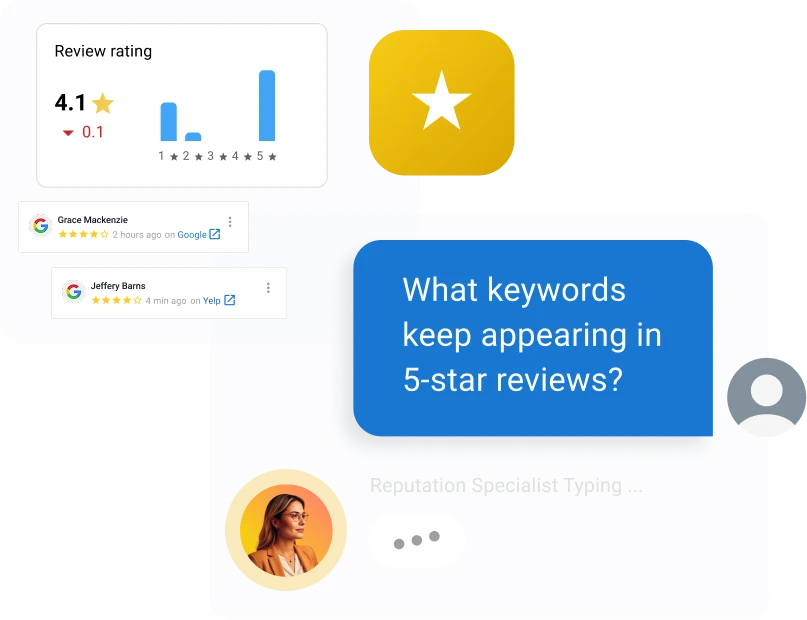
Working inside Reputation AI, which monitors reviews across 100+ sources, the AI Reputation Specialist responds to Google and Facebook reviews in the reviewer’s language under rules and thresholds you set, suggests responses for the rest, and sends net promoter score surveys after service. Vendasta logs and reports every action, so you can see what the AI Reputation Specialist sent and said.
Setup takes under 30 minutes for most AI Employees. The resulting cadence looks like the results Blue River Digital reported for an auction house client: 21 five-star reviews in 30 days, fewer than one a day.
The Bottom Line on Fake Google Reviews
Fake Google reviews come off when you treat the report like a claim you have to prove. Document the reviewer’s profile, match the review to a named policy, flag it through the Reviews Management Tool, and hold your evidence for the one-time appeal. Expect several days to several weeks, and use the extortion form and the Help Community when the standard path stalls.
Legal action against the reviewer stays on the table for provably false statements, but Section 230 keeps Google out of the courtroom, and the FTC’s rule punishes attackers and shortcuts alike. The durable fix is a steady flow of genuine reviews requested after every completed job, which dilutes an attack before it moves your displayed rating.
Vendasta’s AI Reputation Specialist sends those requests from your own job data and responds to reviews under rules you set. To see how that would run in your business, book a Vendasta demo.
Fake Google Reviews FAQs
1. Does Google detect fake reviews on its own or do I have to report each one?
Both. Google’s automated systems blocked or removed more than 292 million policy-violating reviews in 2025 and scan daily for patterns like duplicate text and rating spikes. If a suspicious review appears on your profile, flag it yourself and report the reviewer’s profile from the Google Maps app when the same account hits multiple businesses.
2. Are false Google reviews illegal and can I sue the reviewer?
Creating or buying fake reviews violates the FTC’s Consumer Reviews and Testimonials Rule, with civil penalties up to $53,088 per violation, but only the FTC enforces that rule. You can sue the reviewer for defamation if the review states a provably false fact, not an opinion. You cannot sue Google; Section 230 shields it from liability for user content.
3. What are some examples of fake reviews to look for?
Watch for a one-star review from a name with no matching customer records, an account whose only contribution is your review, a reviewer whose other reviews sit hundreds of miles from your service area, identical wording posted on competitors’ profiles, and a burst of low ratings inside one hour. Reviews from ex-employees or rival contractors count too.
4. How long does Google take to remove a reported review?
Google says review evaluation typically takes several days and appeal decisions up to five working days. Owners report about three business days for a first decision, up to two weeks for removal, and a couple of weeks for appeals. Reports can also sit in Decision pending for months, so set a reminder and check the Reviews Management Tool.
5. How do I check the status of a reported review?
Open Google’s Reviews Management Tool, select Confirm, choose your business, then select Continue and the option to check the status of a review you reported previously. Each review shows Decision pending, Report reviewed – no policy violation, or Escalated – check your email for updates. The no-violation label is the trigger that makes your one-time appeal available.
6. What do I do if Google says the review does not violate policy?
File the one-time appeal from the Reviews Management Tool, naming the policy the review breaks and attaching the reviewer’s profile, timestamps, job records, and customer records. If the appeal fails, post your case ID in the Google Business Profile Help Community and ask a Product Expert to escalate. After that, your remaining options are legal.
7. How do I handle a coordinated 1-star attack from a competitor?
Screenshot every review with its timestamp, then flag them in batches of 10 through the Reviews Management Tool, citing fake engagement or conflict of interest. Report each reviewer’s profile from the Google Maps app, since attackers reuse accounts. Keep asking every real customer for a review after each job; a recruited rescue wave can trigger Google’s spam filter.
8. Should I reply publicly to a fake review while I wait?
Yes, with one short, neutral reply. State that you have no record of a customer or job matching the review. Invite the reviewer to contact you directly with their service address and date, then stop. Do not call the reviewer a liar or a scammer. Avoid publishing customer details and making legal threats, because those replies create their own exposure.
9. How do I report a reviewer’s whole profile instead of one review?
Profile reporting works only in the Google Maps mobile app; there is no desktop path. Open Google Maps, find one of the reviewer’s contributions, tap their username, then tap More and choose Report profile on Android or Report on iOS. Select a reason such as fake engagement or impersonation. Report the review itself too.
10. Can Google remove a negative review that is genuine but unfair?
Usually no. Google’s policy protects negative experiences described respectfully, even when the reviewer exaggerates or you disagree with the facts. Removal becomes possible when the review crosses into a named violation: profanity used to attack, unsubstantiated allegations of criminal conduct, another person’s personal information, or a conflict of interest. Otherwise, reply calmly and bury it with genuine reviews.
This article was originally published in January 2023 and updated in October 2026 to include the latest information and insights.